Power Outage Alert Apps and Devices, Compared
iSocket, Ting, smart plugs, and GridPrepped's free alerts compared: what each actually detects, real prices, and which one fits your household.
<!-- query: Power outage alert apps and devices, compared -->
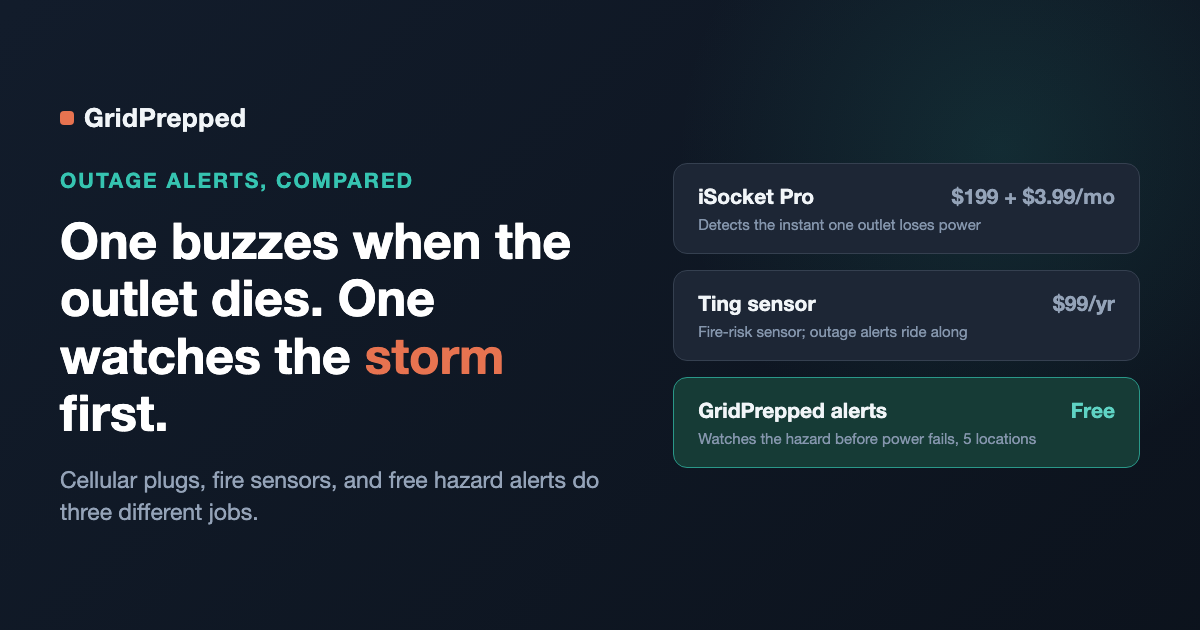
Three genuinely different products answer "how do I find out my power is out" — and they are not interchangeable. Cellular plug-in alarms like iSocket call or text you the instant a specific outlet loses power. Whole-home sensors like Ting watch your wiring for fire risk and, as a side effect, flag outages too. Weather-and-hazard platforms like GridPrepped's alerts don't wait for the outlet to die at all — they watch the storm, quake, or fire risk headed toward a location so you have warning before it happens. Below is what each one actually does, priced from their own order pages, so you can pick the right layer instead of assuming one product covers the whole problem.
How does iSocket detect a power outage?
iSocket is a physical device you plug into a wall outlet on the same circuit as whatever you're protecting — a freezer, a server closet, a sump pump. It runs on a cellular SIM (no home Wi-Fi required) with a battery backup, so it can still send an alert after your router and internet go dark. iSocket's own product page describes it as plugging in and "instantly" alerting you by text or call when power fails or is restored.
Pricing, read directly off iSocket's order page for the Pro model (ISPROUS, NEMA 5-15):
- Hardware: $199 (listed as $189.05 with a first-order discount at time of writing)
- Monitoring plan: $3.99/month, first month free, no contract
- Per-message costs on top of the plan: $0.09 per SMS, per voice call, and per WhatsApp message sent to a US number (email alerts are free)
- 30-day money-back guarantee
One unit covers one outlet at one location. If you want the same coverage at a second address — a parent's house, a cabin, a rental — you're buying a second $199 unit and a second monthly plan. iSocket also sells add-on sensors (temperature, water, gas, security) that plug into the same base unit for other monitoring jobs, which is worth knowing if outage detection isn't the only thing you're trying to solve.
What does the Ting sensor actually monitor?
Ting is built as a fire-prevention product first. A single sensor plugs into one outlet and, according to Whisker Labs' own technology page, analyzes over 30 million electrical signals per second to catch dangerous arcing anywhere in a home's wiring — not just the circuit it's plugged into. Power outage detection rides along as a feature of the same sensor: Ting's how-it-works page lists "power outage notifications & more" alongside its fire-hazard alerts in the app.
Pricing from Ting's own purchase page: $99 for the sensor plus one year of the fire-prevention service, which includes the sensor, the app, real-time alerts, and a $1,000 repair credit toward fixing any hazard Ting identifies. Ting's site states it is "statistically proven to prevent ~80% of electrical fires" while also stating plainly that it "cannot eliminate 100% of electrical fire risks" — their own caveat, not ours.
The practical read: if your main worry is an electrical fire risk you can't see behind a wall, Ting is built for that, and outage alerts come along for free. If outage alerts are the *only* thing you want, you're paying for a fire-safety product to get them.
Can a smart plug like Kasa or Govee alert me when the power goes out?
Not out of the box. General-purpose Wi-Fi smart plugs (TP-Link Kasa, Govee, and similar) are not built with a power-outage-alert feature — their own apps have no "notify me if this plug loses power" toggle. Users on r/TPLinkKasa and r/smarthome have documented workarounds instead: some third-party apps or home-automation tools (like Home Assistant) can flag a plug as "unreachable," but as one Kasa user put it in that thread, "you will probably get quite a few false positives for power off," because a plug also goes unreachable for router hiccups, app-server outages, or Wi-Fi interference that have nothing to do with your actual power.
There's a bigger structural problem underneath the false positives: a Wi-Fi smart plug's alert has to travel through your home Wi-Fi router. When your power actually goes out, your router loses power at the same moment the plug does — unless the router is separately on a battery backup, the one device meant to warn you about the outage is offline for the exact same reason you need the warning. Cellular devices like iSocket exist specifically to route around this problem; a Wi-Fi smart plug, without extra hardware, does not.
What actually warns you before the power goes out?
Everything above tells you *after* — the moment an outlet or a home's wiring loses power. None of it tells you a storm, wildfire, or earthquake is bearing down on a location in the first place, which is the point at which a plan, a charged battery bank, or a decision to leave still matters.
That's a different job, and it's the one GridPrepped's alerts are built for. Instead of a sensor sitting in one outlet, it watches National Weather Service alerts, USGS earthquake activity, AirNow air-quality data, and wildfire risk for locations you choose — up to five, each with its own severity setting (off, severe-only, or moderate-and-up) — and rolls everything into one digest email so you're not managing five separate inboxes. It's free, there's no hardware to buy or ship, and because it's watching the hazard rather than the outlet, it can warn you *before* anything fails, not just confirm that it did.
Picture a household split across two addresses: your own house and, say, a parent's place two counties over. An iSocket or a Ting sensor only protects wherever it's physically plugged in — you'd need a second unit and a second subscription to cover the second address. With GridPrepped, you add the second location and set its own severity — "severe-only" so it doesn't spam you with minor advisories, or "moderate-and-up" if you want earlier warning — and both addresses land in the same digest. If you want a saved plan to go with the warning rather than just a notification, GridPrepped's emergency plans let you write down what to do for each location once and return to it instead of improvising when an alert lands.
Power outage alert options, side by side
| Product | What it actually detects | Cost | Coverage |
|---|---|---|---|
| iSocket Pro | The instant power fails at the specific outlet it's plugged into | $199 hardware + $3.99/mo plan + $0.09 per SMS/call/WhatsApp | One location per unit |
| Ting sensor | Whole-home electrical fire risk, plus outage notifications as a secondary feature | $99 for sensor + first year of service | One home per sensor |
| Wi-Fi smart plug (Kasa, Govee, etc.) | Nothing built in; only an unreliable "offline" workaround via third-party automation | Cost of the plug; no outage feature included | Depends on your own setup, and fails if your router loses power too |
| GridPrepped alerts | Weather, earthquake, air-quality, and wildfire risk approaching a location — before power fails | Free | Up to 5 locations, severity set per location |
Which one should you actually get?
They stack rather than compete. If you're protecting a freezer full of food or a server closet and want a call the instant power dies at that specific outlet, that's iSocket's job. If your bigger worry is an electrical fire risk hiding in old wiring, Ting is built for that and hands you outage alerts as a bonus. If what you actually want is warning *before* a storm, quake, or fire event reaches a place you care about — including places you don't live — that's what GridPrepped's alerts do, and it costs nothing to set up. A lot of households end up using more than one: a hardware sensor where they need outlet-level certainty, and a free hazard watch on every address their family touches.
Sources: iSocket power outage alarm page, iSocket order/pricing page, Ting technology page, Ting how-it-works page, Ting purchase page, r/TPLinkKasa outage-notification thread.
Build your household's emergency plan
Free, and built around where you live.